Not everyone wants kids to use screens all the time, either in class
or at home, and I completely agree! Many of the games here can be
printed and played offline. Use the apps below to generate your own
speaking games with printable resources you can use in class or at
home.
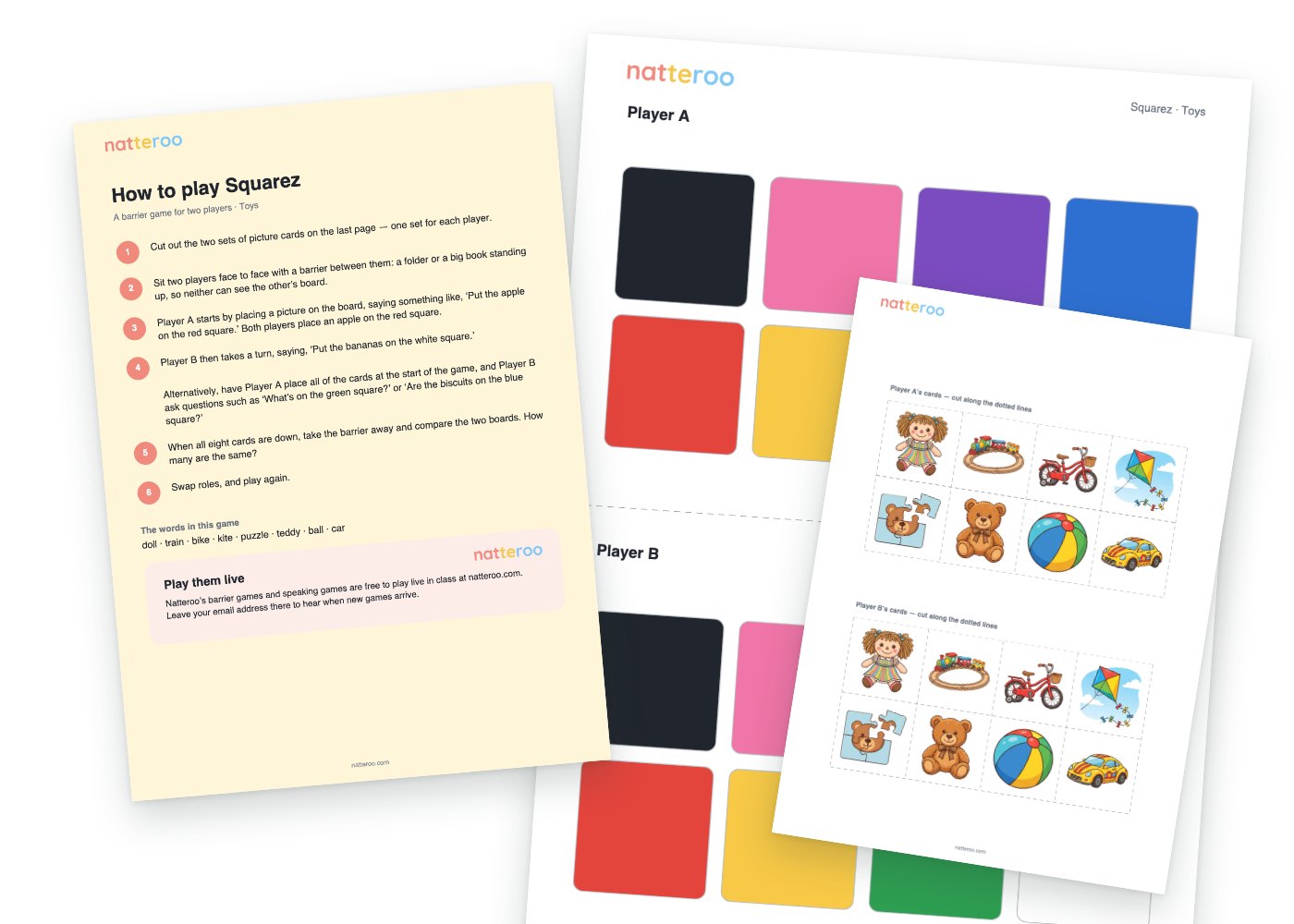
Two full-page game boards of eight coloured squares, and the picture cards to put on them — enough for two players. Choose eight pictures or words.
Tick the pictures you want. One page each, with the target words, behind a page of instructions.
Shouting Dictation is already printable from the main site: upload a
document in the teacher console, draw the boxes for Student A and
Student B, and press Print on the document’s card to download
the two worksheets. Print one of each, sit the children either side of
a barrier, and they read their own visible text aloud to fill in the
blanks from what their partner says.
A deck of cards — a picture and its word on each — for the game played live in class with real cards. Pick as many as you like, or type your own.
Best printed on thick card, so the children cannot see through to what is coming next.
Two copies of the empty house, and the family to cut out — two sets, one for each player — behind a page of instructions. Nothing to choose.
The board, and a deck of question cards for each level you tick, behind a page of instructions.
Tick the scenes you want — each is printed twice, one per player — with a page of coloured balls to cut out if you need them (real balls, counters or buttons are better).
Two copies of the full board of twenty-four faces, and a card for every face — two sets — behind a page of instructions. Nothing to choose.
Tick the scenes you want. Each is printed as picture A on one page and picture B on the next — one for each player — with an answer page for you, behind a page of instructions.
The boards you have built and saved in the Board Game Generator, printed on A4 or A3 — the board on one page and how to play on the next.